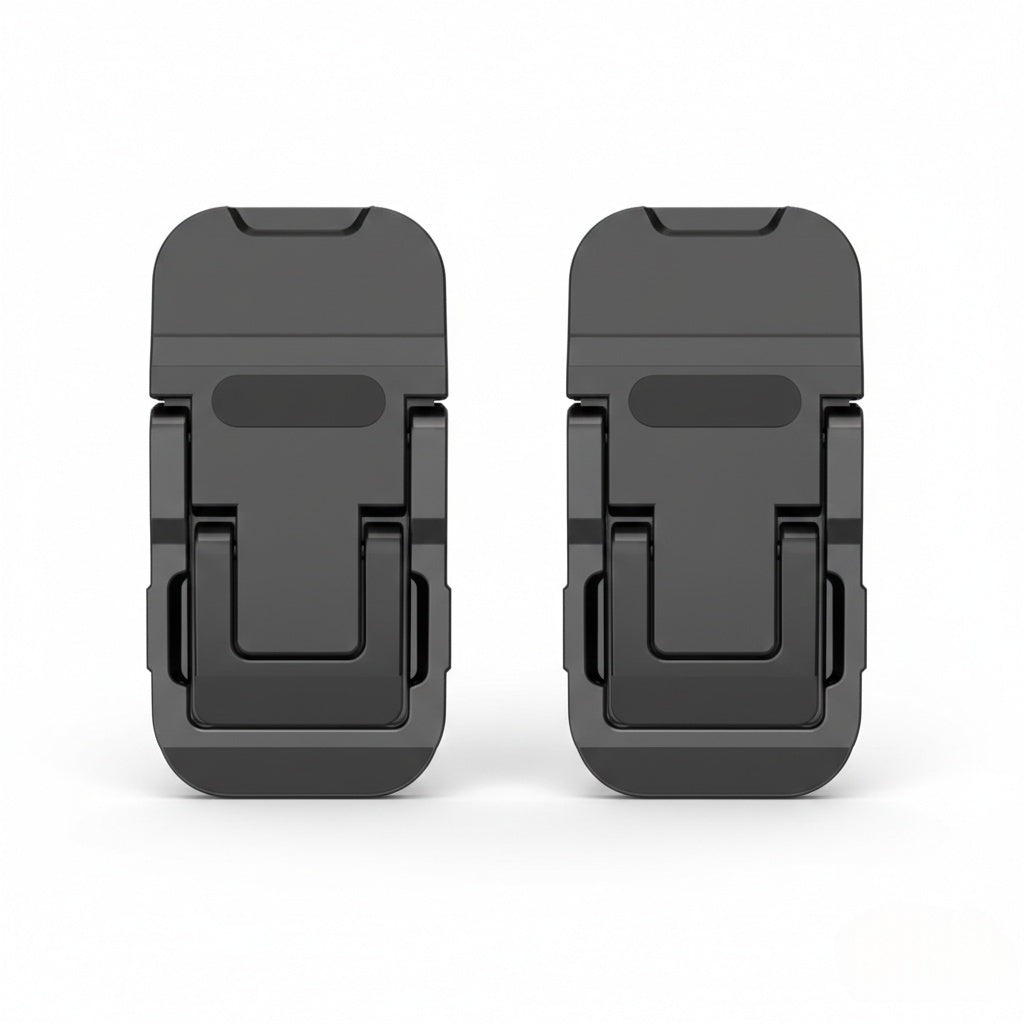
Mini Folding Laptop Stand
Mini Folding Laptop Stand
Regular price
$16.99
Regular price
$16.99
Sale price
Unit price
per
Couldn't load pickup availability

Mini Folding Laptop Stand
Regular price
$16.99
Regular price
$16.99
Sale price
Unit price
per
Product Overview
Improve your typing posture and device cooling with our Mini Invisible Laptop Stand. Designed for modern professionals and students, this ultra-compact stand attaches directly to the bottom of your laptop, providing an instant ergonomic lift whenever you need it.
Constructed from durable zinc alloy, it features a foldable, invisible design that blends seamlessly with your device. Whether you are working at a coffee shop or your home office, this stand offers adjustable viewing angles to help reduce neck strain and improve heat dissipation for better laptop performance.
Key Features
- Invisible & Foldable Design: The slim, lightweight stands attach to the base of your laptop and fold flat when not in use, making them virtually invisible and easy to carry without adding bulk.
- Ergonomic Viewing Angles: Offers a dual-angle adjustment system (expanding to approx. 35mm or 60mm height) to elevate your screen, helping to correct posture and reduce neck and wrist fatigue.
- Efficient Heat Dissipation: By elevating the laptop, the stand increases airflow underneath the device, preventing overheating and maintaining optimal performance without blocking air vents.
- Durable Construction: Made from high-quality zinc alloy with a stable triangular structure, ensuring reliable support for your laptop while typing.
- Non-Slip Stability: Features anti-slip rubber pads on the base to prevent the laptop from sliding or scratching the desk surface.
- Wide Compatibility: Suitable for most laptops, tablets, and keyboards. The nano-adhesive backing ensures a strong, residue-free attachment.
Product Specifications
| Feature | Details |
| Product Name | Mini Folding Laptop Stand (2-Pack) |
| Material | Zinc Alloy |
| Weight | Approx. 25g |
| Dimensions (Folded) | 6cm x 3cm x 0.5cm |
| Height Adjustment | Dual Angle (approx. 35mm / 60mm lift) |
| Installation | Nano-adhesive (Washable & Reusable) |
| Compatibility | Laptops, Tablets, Keyboards |
Available Colors
- Silver: Matches standard aluminum laptops.
- Black: Sleek and discreet for dark-colored devices.
How to Use
- Clean the bottom surface of your laptop.
- Peel off the protective film from the nano-adhesive.
- Stick the stands near the rear hinge of the laptop, ensuring they are aligned symmetrically.
- Flip open the legs to the desired height when ready to work.